Quick answer
What do you need for a familiar internet experience abroad?
You need two separate things: a way to connect and a way to control how your internet traffic is routed. A travel eSIM provides mobile data. The included VPN adds a protected internet route and can change the public IP address and apparent internet location used by websites and apps. Account settings and service rules can still affect individual applications.
Mobile data and unrestricted internet are related, but they are not the same product feature.
The short version
Connection is not the whole experience
- The eSIM provides mobile data.
- The network affects the route and location.
- Apps apply their own account rules.
- The VPN changes the route, not every identity signal.
The included VPN
What it helps with
- Protected route on shared networks
- Different public IP address
- Different apparent internet location
- Reduced visibility for the current access network
It does not guarantee access to every service.
Prepare
Prepare before you fly
Getting connected is only the first layer
A travel eSIM solves mobile connectivity. It gives the phone an available data connection so applications can send and receive data. The wider internet experience—which catalogue a streaming service shows, whether a bank accepts a login, or which apparent internet location a website sees—is decided by several other layers on top of that connection.
Mobile data answers
- Can the phone get online?
- Is there a usable network?
- Is the data bundle active?
- Can applications send and receive data?
The wider internet experience answers
- Which content catalogue appears?
- Which websites or categories are available?
- How does a bank treat the login?
- Which country does a service think the user is in?
- Who operates the network route?
- Is traffic protected on shared Wi-Fi?
The four layers that shape your internet abroad
Your internet experience abroad is shaped by four connected layers. Mobile data determines whether you can connect. The network and VPN determine the route and internet location. Apps apply their own account and security rules. Privacy depends on how the connection and device are protected.
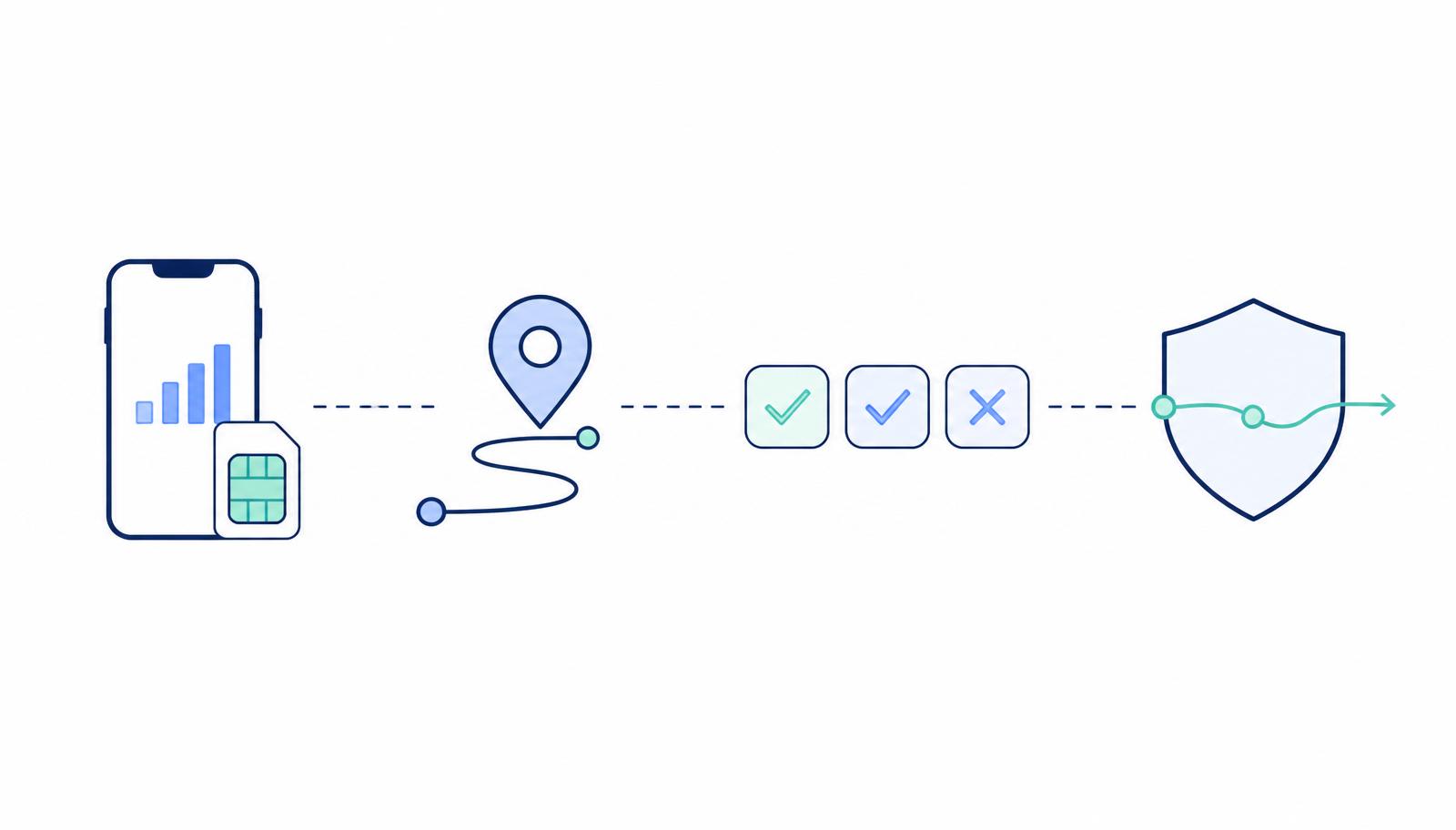
- 01Layer
Connection
The eSIM, mobile network, signal, roaming configuration and active data bundle determine whether the device can reach the internet at all.
- 02Layer
Network and internet location
The mobile or Wi-Fi network and any active VPN influence the route, IP address and apparent internet location used by online services.
- 03Layer
App and account rules
Apps and websites may use subscription country, payment method, account history, device location, employer policy and security signals in addition to the IP address.
- 04Layer
Privacy and security
The network path, encryption, device security and application behaviour affect what intermediaries can observe and how safely the connection is used.
What commonly changes when you use the internet abroad
Familiar apps and websites can behave differently the moment you connect from another country. These are the categories travellers notice most often.
Streaming and entertainment
Catalogues, downloads, live-sports availability, subtitles and individual titles can vary by country. The included VPN can change the apparent internet location a streaming app sees, which may change the catalogue or availability shown by the service.
Websites and online services
Websites or categories may be unavailable because of local network restrictions, government rules, licensing, service-country availability or platform policy. The included VPN can help when the destination network or local routing is the reason a site does not load.
Banking and payments
Foreign networks, unfamiliar IP addresses, location changes and new devices may trigger additional verification or one-time codes. This is a normal bank security check reacting to a new environment.
Work tools and authentication
Employers may restrict countries, networks or VPN services, and single sign-on can react to unfamiliar sign-ins. Follow the organisation's approved travel process.
Public Wi-Fi
Hotel, airport and café Wi-Fi may require a captive-portal login and is shared with many users. The included VPN gives that connection a protected route once the Wi-Fi login is complete.
What this looks like on a real trip
Three practical situations that show the four-layer framework in normal traveller language.
Connection
Your phone is online, but streaming looks different
- The eSIM connection works and maps, messaging and websites load normally.
- A streaming service shows a different catalogue, and some downloaded titles may be unavailable.
- The included VPN can change the apparent internet location the service sees, which may change the catalogue or availability it shows.
This is not a mobile-data failure. The connection works; the application is making a location or account decision.
Service
Everything works except your bank or work account
- General internet access works.
- The service detects a new country, IP address or VPN route and asks for additional verification.
- Try turning the VPN off for that login, use mobile data rather than public Wi-Fi, and complete the service's normal verification.
A service-specific security check is different from an eSIM connection problem.
Network
The Wi-Fi connection still needs a browser login
- The phone appears connected to Wi-Fi but nothing loads.
- The venue requires a captive-portal login, and the login page may not appear while the VPN is active.
- Complete the Wi-Fi login first, then reconnect the included VPN.
The Wi-Fi login controls access to the network; the VPN protects the route after access is granted.
What the included VPN changes
The included VPN adds a separate protected route for your internet traffic. When it is connected, websites and applications normally see the VPN server's public IP address instead of the address supplied by the mobile or Wi-Fi network.
- Encrypts traffic between the device and the VPN service
- Changes the public IP address used online
- Can change the apparent internet location
- Reduces what the current access network can see about traffic contents
- Works on supported mobile-data and Wi-Fi connections
- Can help when a local network route affects an application or website
VPN access is included at no extra cost with every eSIMbundle data bundle. It is used through a supported VPN application with separate VPN credentials.
What a VPN does not change
A VPN changes the route your traffic takes. It does not rewrite every other location, account or identity signal a service can use.
A VPN can change
- Public IP address
- Network route
- Apparent internet country
- Visibility of traffic contents to the current access network
- Behaviour of some location-sensitive websites and applications
A VPN does not control
- GPS location
- SIM country
- Account country
- Payment-card country
- Identity verification
- Subscription eligibility
- Employer security policy
- Application licensing
- Local law
- Whether a service blocks a particular VPN route
Keep this in mind
A VPN changes the route. It does not rewrite every other location, account or identity signal used by a service.
Travel eSIM connectivity versus a complete travel internet bundle
A normal travel eSIM focuses on prepaid mobile-data connectivity. eSIMbundle combines that mobile-data connection with VPN access included at no extra cost.
Normal travel eSIM: Focused primarily on prepaid mobile-data connectivity.
eSIMbundle: Prepaid mobile data with VPN access included at no extra cost.
| Capability | Normal travel eSIM | eSIMbundle |
|---|---|---|
| Prepaid mobile data | Yes | Yes |
| Physical SIM replacement required | No | No |
| Control over mobile-data spending | Yes | Yes |
| VPN access included | No | Yes |
| VPN use on mobile data and Wi-Fi | Requires a separate VPN service | Included |
| Ability to choose an available VPN location | Requires a separate VPN service | Included |
| Mobile data and VPN managed as one travel bundle | No | Yes |
| Preparation before travel | Recommended | Recommended |
| Guaranteed access to every app or website | No | No |
eSIMbundle combines the two parts it provides: prepaid mobile-data connectivity and access to the included VPN route.
Prepare both the connection and the internet experience
The most reliable trip is prepared at home while you still have familiar Wi-Fi and normal access to your accounts.
- Confirm the phone supports eSIM and is carrier-unlocked.
- Choose the destination and data bundle.
- Install the reusable eSIM profile while reliable Wi-Fi is available.
- Prepare the included VPN and save the separate VPN credentials.
- Keep important applications, authentication methods and downloads ready.
- After arrival, select the travel eSIM for data and test the included VPN.
The internet does not change in the same way everywhere
Some destinations have broad access. Others restrict particular websites, applications or content categories, and streaming behaviour can change even where blocking is limited. Read the destination guide for the country you plan to visit.
Is the connection failing, or is one service behaving differently?
Before changing settings, work out whether the wider connection is the problem or whether one specific service is reacting to something else.
Connection
Likely connection problem
- No website loads
- Maps do not work
- Several unrelated apps fail
- No Service, SOS or Searching
- The bundle is not active
- The travel eSIM is not selected for mobile data
Service
Likely service-specific problem
- Browser and maps work
- Only one bank, streaming service or work tool fails
- The result changes when VPN is turned on or off
- The problem appears only on public Wi-Fi
- The application displays an account, security or regional error
Sources and further reading
These external references were used while writing this guide. Paraphrased context appears in the article; open the links for the original wording.
Mobile data and VPN together
Choose travel data with VPN included
Find a prepaid data bundle for your destination and prepare both your mobile connection and the included VPN before you travel.
Frequently asked questions
Does a travel eSIM give me unrestricted internet?
A travel eSIM provides mobile-data connectivity. The wider internet experience can still depend on the destination network, apparent internet location and rules applied by individual apps and websites.
Why do websites and apps change when I travel?
Services can use the public IP address, apparent country, device location, account country, payment method and security history to decide which content or actions are available.
Does the included VPN change my internet location?
The included VPN changes the public IP address and can change the apparent internet location seen by many websites and applications.
Can I use the included VPN on hotel and airport Wi-Fi?
Yes. Complete any Wi-Fi browser login first, then connect the included VPN through the supported VPN application.
Does the VPN use my mobile data?
Yes. VPN traffic still uses the active mobile-data or Wi-Fi connection. The included VPN does not create a separate mobile-data allowance.
Does the VPN guarantee that every website will work?
No. Individual services can apply their own account, subscription, location, security and VPN-detection rules.
Should I prepare the VPN before travelling?
Yes. Download the supported VPN application and save the separate VPN credentials while reliable internet is available.
What should I do when only one app does not work?
Confirm that other websites and applications work, then use the app-specific troubleshooting guide. Do not delete the eSIM when the wider connection is working.
